
How to Make the A2O LITE NEON Dance with Your Own Cats
A cat duet inspired by the dance trend around A2O LITE’s NEON: two cats perform with raised paws, turns and coordinated steps. Here you can make it with your own cat, or with two of them.
This guide shows an actual example made with this generator from two cat photos, the moments of the 23-second routine, the four scenes, how to choose photos, what a video costs and how to add the music when you share.
- Photos
- 1 or 2 cats
- Download
- About 23-second MP4
- Format
- Landscape 16:9, 1080p
- Sound
- Silent: add it when posting
See the photos and the video they made
This is the example shown on our homepage: an actual test output from our generator, made from the two cat photos shown here in the Purple studio scene. The photos are AI-created, and the video is not a customer testimonial. Results vary between generations.
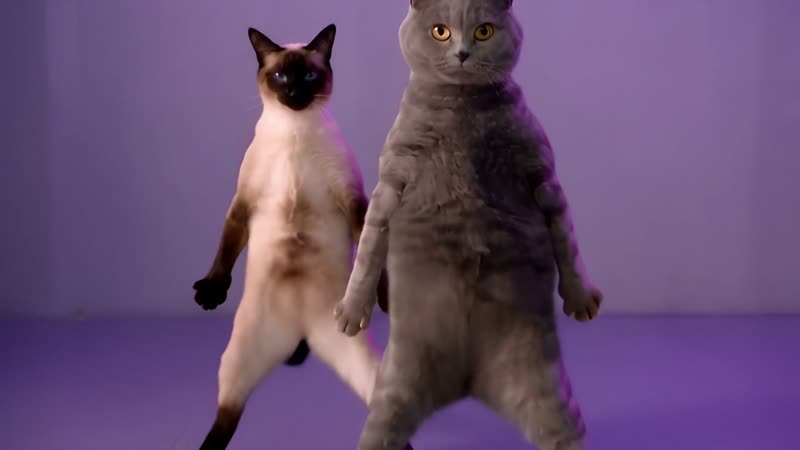
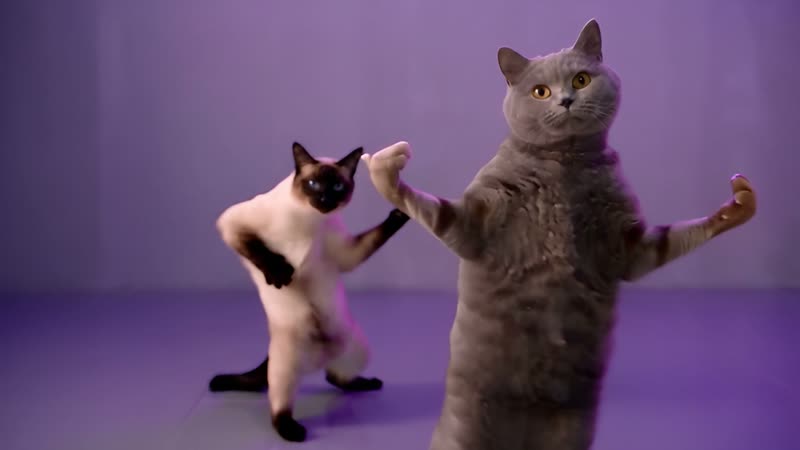
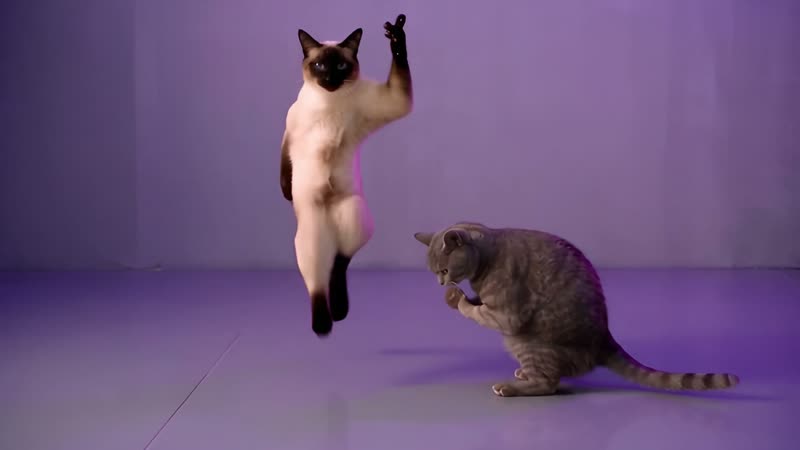
A gray British Shorthair and a Siamese
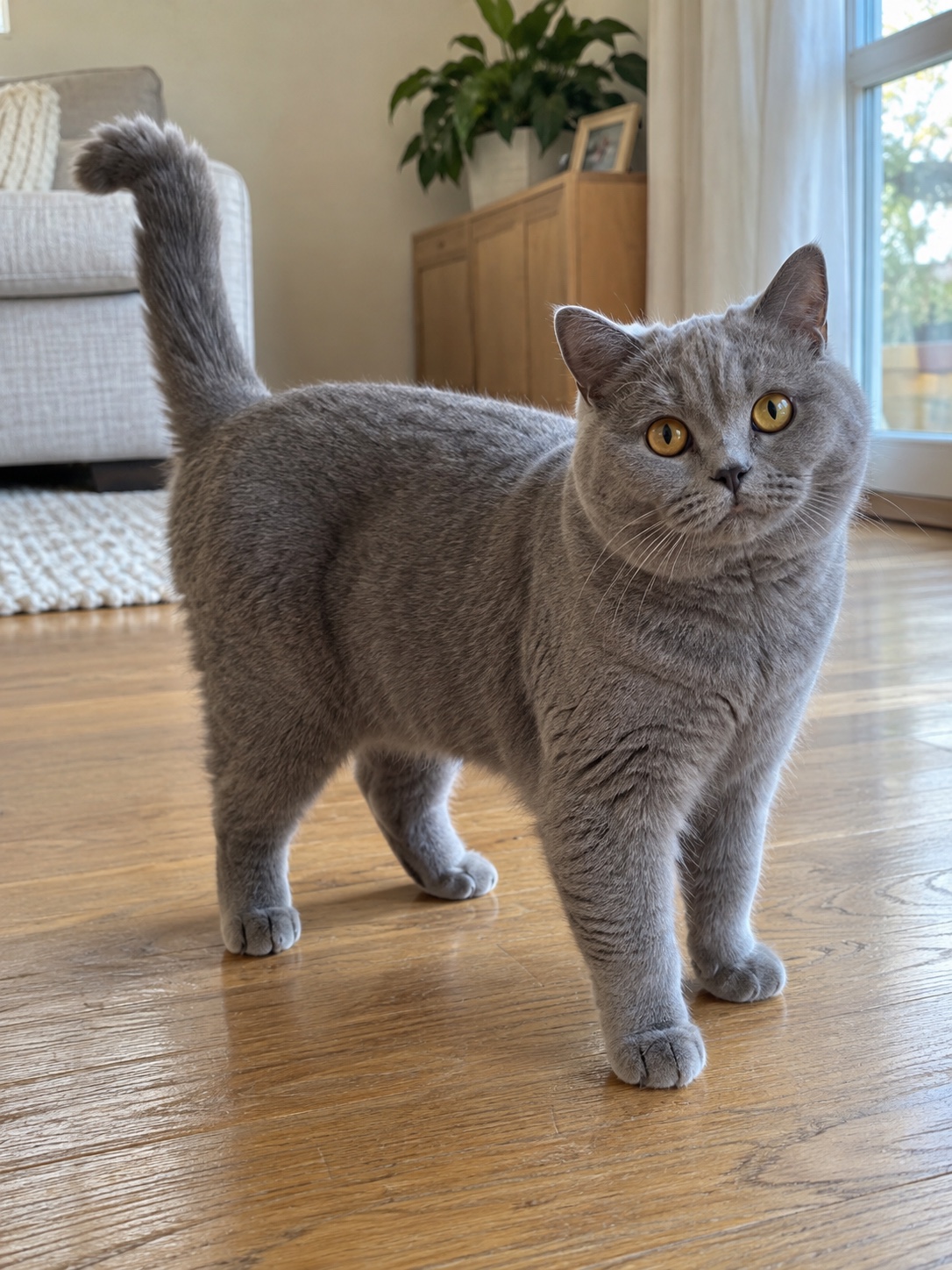
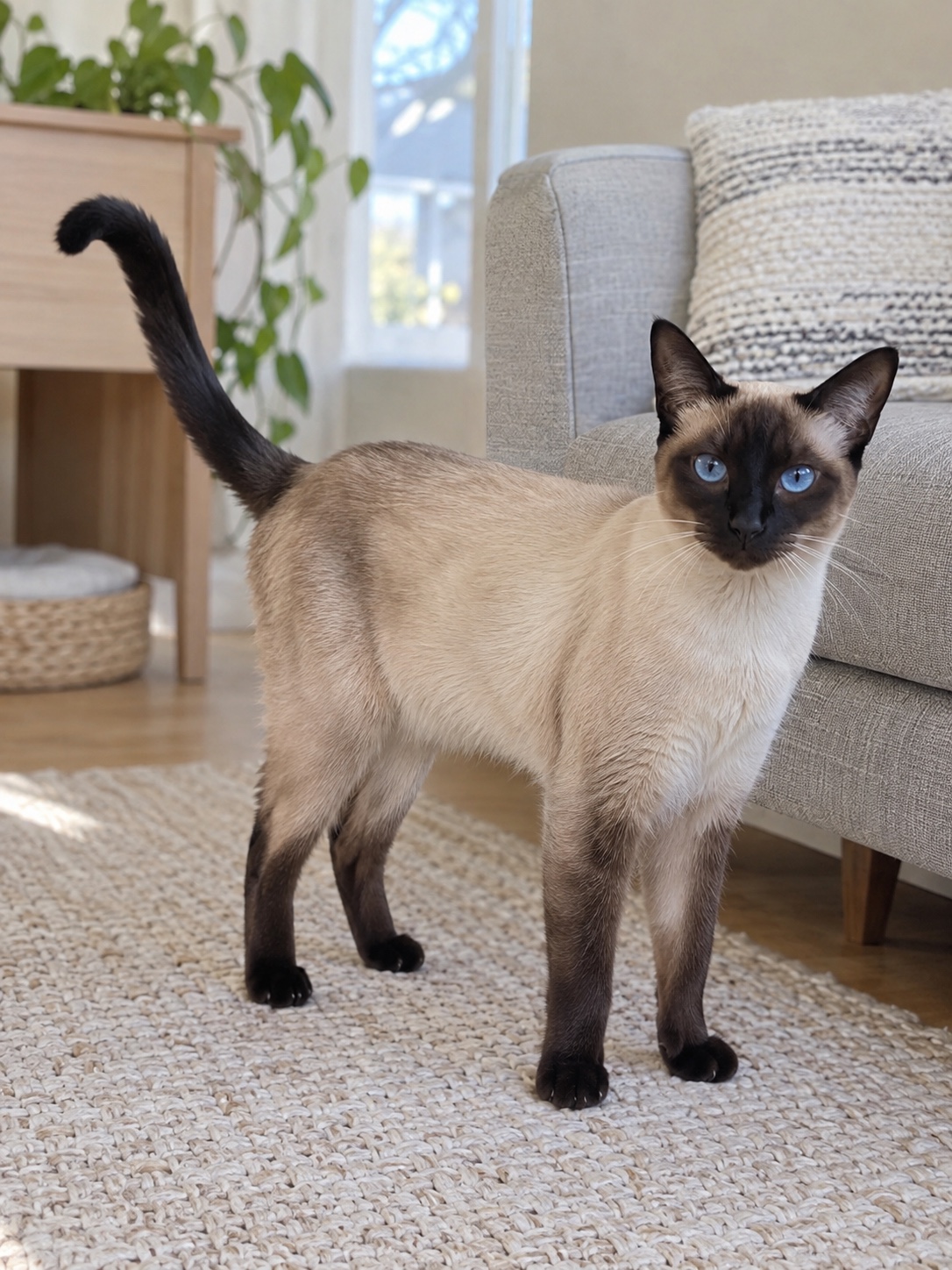
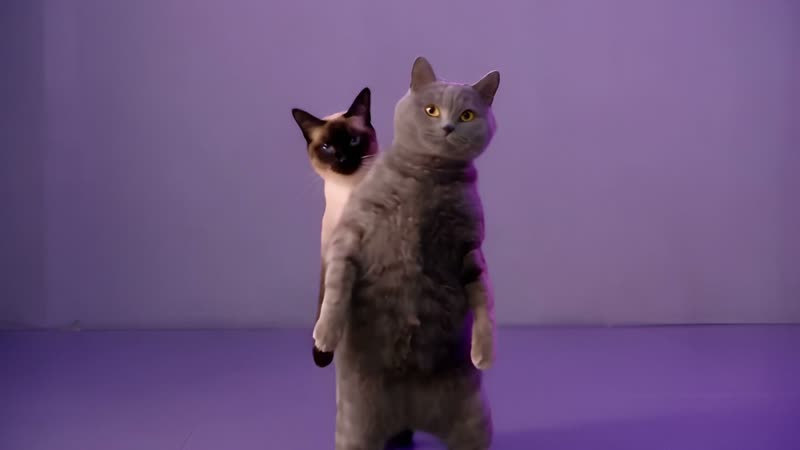
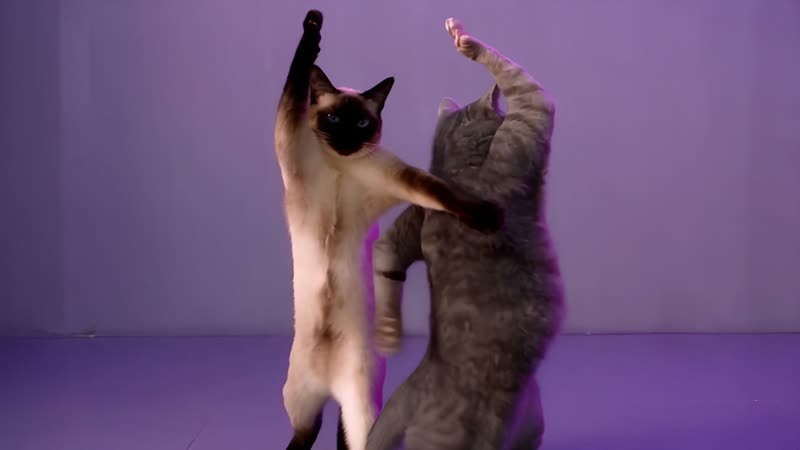
The British Shorthair leads at the front and the Siamese follows behind. Both raise their paws, turn side-on together, step apart and lift their paws overhead before the closing steps.
Inputs: two AI-created cat photos. Output: the generated video in Purple studio.
Inside the routine
Frames from the generated example above. The lead starts in front and the partner follows behind; the fixed routine handles the steps, turns and camera movement. Your result will vary.
Make your own NEON cat dance
Choose your dancers
Open the generator and add a clear photo of your cat as the lead. Add a second cat photo for the dance partner, or leave that slot empty and AI creates a different-looking partner. Use one cat per photo.
Pick your scene
In Pick a scene, right below your photos, choose Purple studio, Dance studio, Living room or Concert stage. The scene changes the setting and lighting while the two cats follow the same dance reference. The example shows Purple studio; it does not preview each scene.
Choose a pack and pay once
Choose 1, 3 or 5 videos and use guest checkout with your email address. No account is needed. Generation usually takes about 10–15 minutes once it starts.
Watch, download and add the sound
Review the entire result before sharing it, then download the silent landscape 1080p video and add NEON from the licensed sounds available to your account in the app where you post.
Choose photos that keep each cat recognizable
Choose a sharp, well-lit original photo with the face and body visible. Avoid screenshots, heavy filters, clothing that hides the body, and multiple cats in one photo.
This dance is designed for domestic cats only. Dogs, people and other animals are not supported. The example pairs a gray British Shorthair with a Siamese; cats with different coats are easiest to tell apart.
What to check after the video is ready
The photos guide each cat’s face, coat, markings and body shape, but the match is not guaranteed: fast movements can change details or produce visual artifacts. A completed video uses its credit, and each new try uses another.
Add NEON when you share
Your download is silent. Add A2O LITE’s NEON from the licensed sounds available to your account in the app where you post, then align it with the routine. Availability and permitted uses vary by platform and region.
The video is landscape 16:9 only. You can crop it in an editor, but a vertical crop may cut off a cat or part of the dance.
A2O LITE AI Dance is an independent AI tool, not affiliated with A2O LITE, A2O Entertainment, the song’s rights holders or the creators of the supplied clip.
What does a NEON cat dance video cost?
One video uses one credit. Credits come in one-time packs, with no subscription, and they do not expire. Pay securely through Waffo.
- 1 video
- USD 8.90
- 3 videos
- USD 22.90
- 5 videos
- USD 34.90
Check the pricing page and checkout for the final currency and total.
If generation fails, the credit returns automatically so you can try again. You can request a refund for a pack within 7 days of purchase if all its credits are unused. See the Terms.
Before you upload
How many photos do I need?
- One or two. Your first photo supplies the lead cat. Add a second photo for its dance partner, or leave that slot empty and AI creates a different-looking partner. Use one cat per photo.
Will it keep my cat’s markings?
- The photos guide each cat’s face, coat, markings and body shape. The match is not guaranteed: fast movements can change details or produce visual artifacts. A sharp, well-lit original photo of one cat, with its face and body visible, gives the AI the most to follow, and two cats with different coats are easiest to keep apart. Review the entire result before sharing.
Can I make a vertical video?
- This template generates landscape 16:9 video only. You can crop it in an editor, but a vertical crop may cut off a cat or part of the dance.
Can I post it on TikTok or Reels, or use it commercially?
- You can post your video on TikTok, Reels or YouTube. It is landscape 16:9; see the vertical video answer above if you want to crop it. Add NEON only from the sounds the app makes available for your account and intended use. Our Terms describe the video as an AI-generated MP4 for entertainment: they include no license to the NEON recording and do not guarantee exclusive copyright or clearance of third-party rights, so you are responsible for any permissions a commercial use needs.
Who processes my photos?
- Your photos are processed by Seedance 2.5, a video model by ByteDance, to generate your video. Uploaded photos are scheduled for deletion 7 days after upload.
How long are my photos and videos stored?
- Uploaded photos are scheduled for deletion 7 days after upload, and generated videos 30 days after they are made. Download any videos you want to keep.
More answers are in the full FAQ.